
How to Install IPTV on Any Device
Get connected instantly! Our step-by-step guide makes setting up your IPTV service fast and hassle-free on any device—from Smart TVs and Android Boxes to mobiles and PCs. Start streaming high-quality content in minutes!
How do I set up IPTV on the Fire TV Stick?
1: After purchasing your IPTV account from YourFlix4K, navigate to the "Search" option on the home screen of your device. 2. Click on "Search". 3. Search for and select "Downloader". 4. Select the Downloader App. 5. Click on "Download". 6. Once the app is installed, click on "Open". 7. Go back to the home screen and open "Settings". 8. Click on "My Fire TV". 9. Select "Developer Options". 10. Click on "Install unknown apps" (or "Allow installation from unknown sources"). 11. Find the Downloader App and click on it. 12. This activates Unknown Sources for the Downloader App. This enables sideloading on your device. 13. Launch the Downloader. 14. Click on "Allow". 15. Click on "OK". 16. Enter the following URL exactly as shown here: https://www.iptvsmarters.com/smarters.apk and click on "Go". 17. Wait for the file to download. 18. Click on "Install". 19. Click on "Done". 20. Open IPTV Smarters and then select "Login with Xtream Codes API". 21. Enter the login credentials that we sent to you via WhatsApp, email, or chat.For TiviMate:
1. Enter the following URL exactly as shown here: https://tivimates.com/tiviapk and click on "Go". 2. Wait for the file to download. 3. Click on "Install" and once the installation is complete, you can open the app. 4. Click on "Add Playlist" and then select "Xtream Codes". 5. Enter the login credentials that we sent to you via WhatsApp, email, or chat.How to set up IPTV on Android with the IPTV Smarters Player?
1: After purchasing your IPTV account from YourFlix4K, start by downloading the IPTV Smarters App using the following URL: https://www.iptvsmarters.com/smarters.apk 2: Open the app once it has downloaded and enter the login credentials. 3: Enter the login details that we provided to you after completing a subscription. Now, click on "ADD USER" to proceed to the next section. 4: Wait a few seconds. 5: Now click on the "Live TV" icon, as indicated by a red arrow in the image. 6: Now select the channel group you want to watch and move to the next section. 7: Now click on the channel name and then double-click on the small screen to enter full-screen mode, as the final step. Done.
How to set up IPTV on Apple/iOS with the IPTV Smarters Player?
1: After purchasing your IPTV account from YourFlix4K, begin by downloading the IPTV Smarters App from the Apple Store using the following link: https://apps.apple.com/in/app/smarters-player-lite/id1628995509 or search for it in the App Store. Install the app on your iOS device. 2: Open the app once it has downloaded and enter the login credentials. 3: Enter the login credentials that we provided to you after completing a subscription. Now, click on "ADD USER" to proceed to the next section. 4: Wait a few seconds. 5: Now click on the "Live TV" icon, as indicated by a red arrow in the image. 6: Now select the channel group you want to watch and move to the next section. 7: Now click on the channel name and then double-click on the small screen to enter full-screen mode, as the final step. 8: To add an EPG, you do not need to add an EPG URL. Simply click on "Install EPG". Done.
How do I set up IPTV on a Smart TV?
1: After purchasing your IPTV account from YourFlix4K, download SetIPTV / NetIPTV / Smart IPTV from the TV store on your Samsung, LG … TV. 2: After installation, open the app and you will find the MAC address on the screen. Example: 3: Send us the MAC address via WhatsApp/Email/Live Chat. 4: After a few minutes, restart your TV and open the app. Done.
How do I set up IPTV on the Mag Box?
1: Send us the MAC address of your MAG via email or WhatsApp2: After payment is completed, we will send you the portal linkGetting Started with YourFlix4K Is Easy
Enjoy high-quality IPTV streaming with YourFlix4K. Watch live TV, movies, and sports anytime, anywhere.

We Offer You A Complete IPTV Subscription Experience
Enjoy uninterrupted streaming with an IPTV subscription from YourFlix4K. Choose from subscriptions for 1, 3, 6 or 12 months and experience continuous entertainment for you and your family with our IPTV subscription. Your gateway to endless viewing pleasure starts here with our YourFlix4K subscriptions.
More Than 30,500 Channels With YourFlix4K
Unlock a world of entertainment with your YourFlix4K subscription , now with over 30,500 channels for the ultimate viewing experience. With YourFlix4K you can enjoy the best range of channels and the most complete IPTV subscription experience.

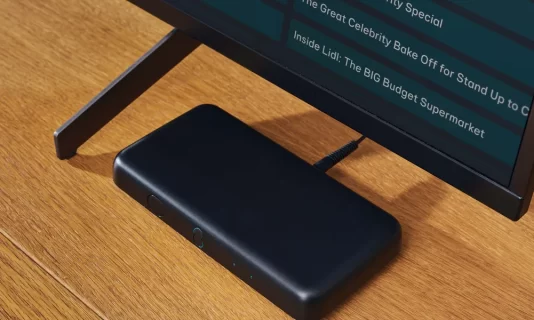
Live TV With YourFlix4K and TV Guide (EPG)
With a YourFlix4K subscription you get access to an extensive TV guide (EPG), live TV, and replay options. This means you no longer need a traditional TV subscription. Choose to buy an IPTV subscription and enjoy the convenience of watching ahead and rewatching your favorite programs whenever it suits you.